Java is an essential component for running many applications and games, including Minecraft. This guide will show you how to download and install the latest version of Java on your Windows PC quickly and safely directly from the official Oracle website.
TL;DR: Go to the Oracle website, select the Windows tab, download the x64 Installer, and run it. Click “Next” a few times, and you’re done.
Requirements
- Windows 10 or 11 (64-bit).
- Administrator privileges on your computer.
- Internet connection.
Quick Start
- Download: Visit
oracle.com/javaand download the installer for Windows. - Install: Run the
.exefile and follow the on-screen instructions. - Verify: Open a command prompt and type
java -versionto confirm.
Step-by-step instructions
Step 1 — Visit the Oracle website
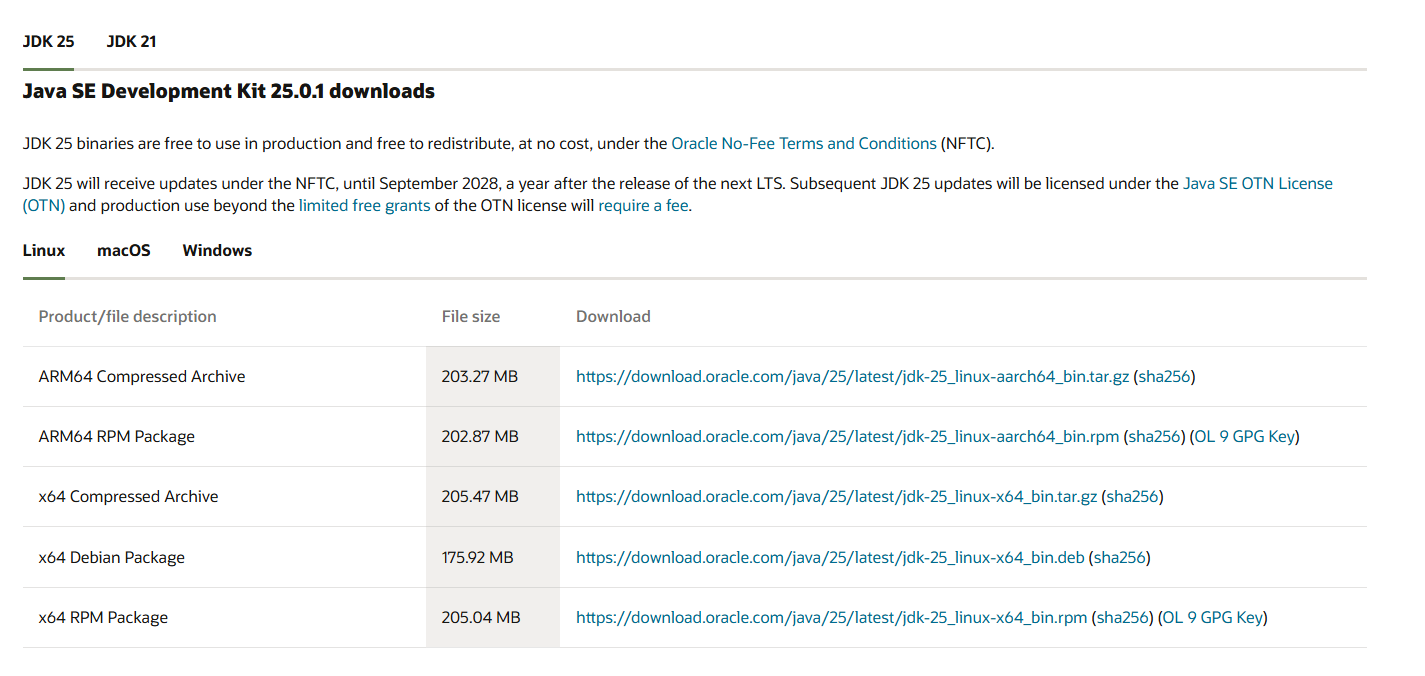
Go to the official download page: https://www.oracle.com/java/technologies/downloads/. You will see the latest available versions of the JDK (Java Development Kit).

Step 2 — Select your Operating System
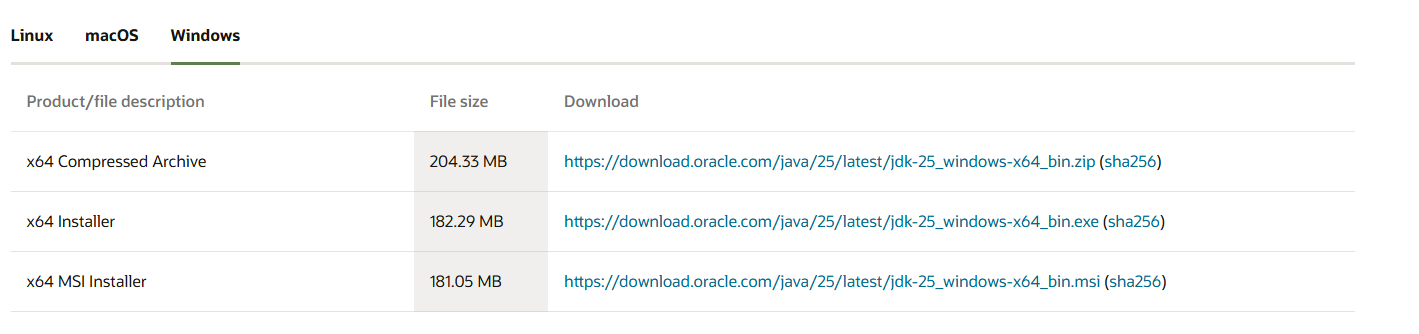
Scroll down to the download section. By default, “Linux” might be selected. Click on the Windows tab to see the download links for your system.
Step 3 — Download the Installer
Look for the x64 Installer link. Click on the link next to it (ending in .exe) to start the download.
Step 4 — Save the file
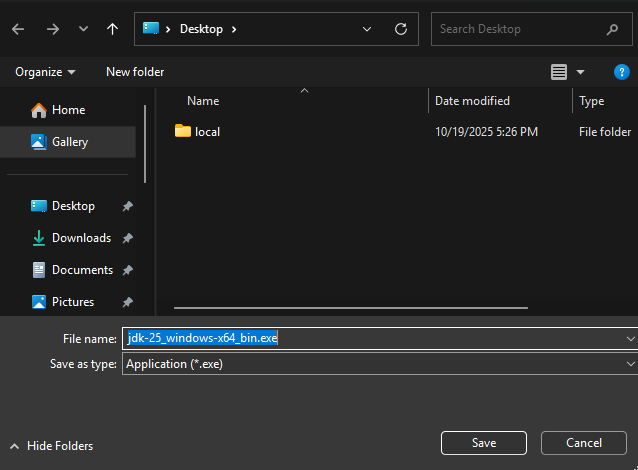
Save the installer file to an easily accessible location, such as your Desktop or Downloads folder.
Step 5 — Run the Installer
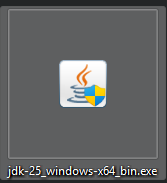
Double-click the downloaded file (e.g., jdk-25_windows-x64_bin.exe) to launch the installation wizard. If prompted by User Account Control, click Yes.
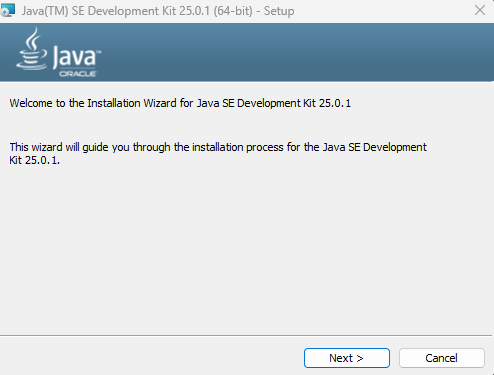
In the welcome window, click Next. You can leave the default installation folder as it is.
Step 6 — Finish the installation
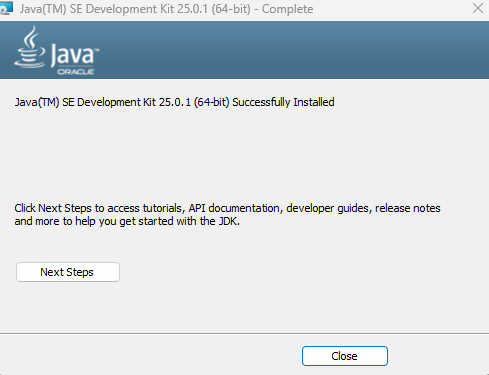
Wait for the installation to complete. You should see a message saying “Successfully Installed”. Click Close.
Troubleshooting
- “Java is not recognized…”: If you type
java -versionin the terminal and get an error, you might need to add Java to your system PATH environment variables. - Installer doesn’t open: Ensure you have administrator rights and that the download wasn’t corrupted. Try downloading again.
Uninstall
To uninstall Java, go to Settings > Apps > Installed Apps, find “Java SE Development Kit”, and click Uninstall.

Downloads & Links
- Download Java — Official Oracle Website