
Fabric API is the core library that most mods for the Fabric loader need to function. If you’re planning to dive into the world of Minecraft mods, installing it is your first and most important step. This guide will show you how to get it done quickly and easily.
TL;DR: Download the Fabric API
.jarfile for your Minecraft version and place it in your.minecraft/modsfolder. Make sure you already have Fabric Loader installed.Compatibility: 1.21, 1.20.6, 1.20.1 and older • Loader: Fabric • Platforms: Win/Linux/macOS
What is Fabric API?
Fabric API isn’t a typical mod—it doesn’t add any new blocks, items, or mobs to the game. It is a fundamental programming library that provides mod developers with a common set of tools and “hooks” into Minecraft’s code. It allows mods to interact with each other, avoid conflicts, and more easily implement changes to the game’s mechanics. Nearly every mod created for Fabric requires this library to run correctly.
Why Do You Need Fabric API?
Simply put: without Fabric API, 99% of Fabric mods will not launch. The game will crash immediately, displaying an error about a missing dependency. Installing this library is therefore mandatory if you want to use mods like Sodium, Iris Shaders, or hundreds of others that enhance the Minecraft world.
Requirements
- Minecraft: Java Edition installed.
- Fabric Loader installed for your version of Minecraft.
- Write permissions for the
.minecraftdirectory.
Quick Start (3 Steps)
- Download: Go to CurseForge or Modrinth (links at the bottom) and download the Fabric API
.jarfile that matches your game version. - Copy: Move the downloaded file into the
modsfolder within your main game directory. - Launch: In the Minecraft launcher, select the
fabric-loader-...profile and click Play.
Step-by-Step Installation
Step 1 — Download the Fabric API File
Visit one of the official download sites (we recommend Modrinth or CurseForge) and find the Fabric API version that corresponds to your Minecraft version (e.g., 1.21). Download the file, which should have a .jar extension.

Step 2 — Locate and Place the File in the mods Folder
Now, you need to place the downloaded file in the correct location. The path to the mods folder varies by operating system:

- Windows: Press
Win + R, type%appdata%\.minecraft\mods, and press Enter. Move the.jarfile into this folder. - Linux: Open your file manager and navigate to
~/.minecraft/mods. - macOS: In Finder, use the shortcut
Shift + Cmd + Gand paste~/Library/Application Support/minecraft/mods.
You can easily open Minecraft files with shortcut (folder icon) in Minecraft Launcher profile list view:

If the
modsfolder does not exist in your.minecraftdirectory, simply create it manually. Make sure the name is all lowercase.
Step 3 — Launch the Game
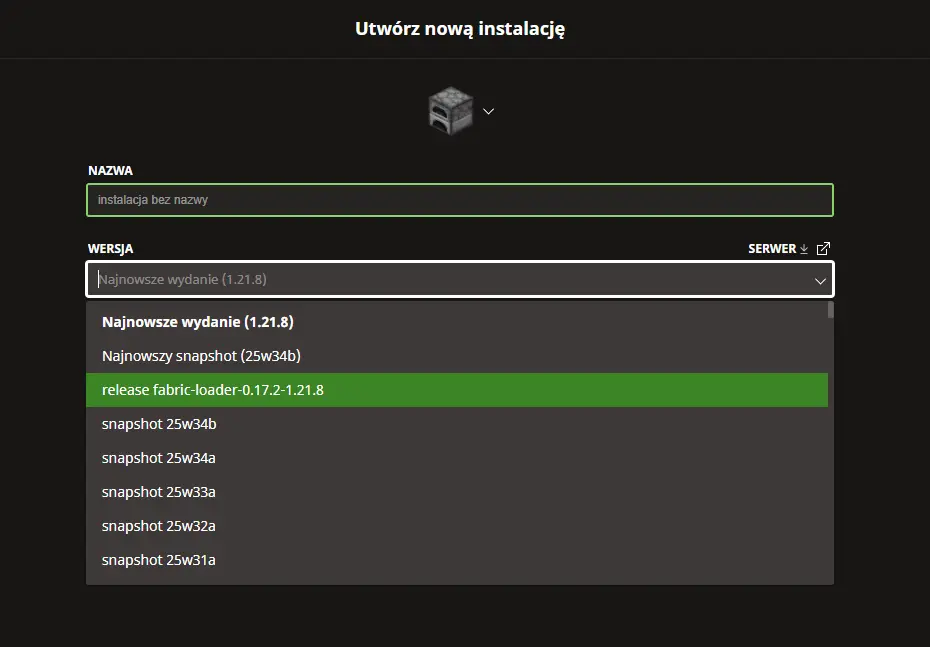
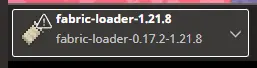
Open your Minecraft launcher. You should already have a profile created by the Fabric Loader installer (e.g., fabric-loader-1.21). Select it and launch the game. If everything was done correctly, the game will load without any errors.
Common Issues and Solutions
Game crashes on startup with a dependency error Make sure the Fabric API version is exactly the same as your Minecraft and Fabric Loader version (e.g., MC 1.21 requires Fabric API for 1.21).
I don’t have a
modsfolder This is normal for a clean installation. Create it manually inside your.minecraftdirectory.How do I know if the API is working? Fabric API doesn’t add any visible options in the menus. The best test is to install a simple mod that requires it (like Mod Menu). If that mod works, the API is working too.
How to Uninstall
To uninstall Fabric API, simply delete the fabric-api-....jar file from your mods folder. However, keep in mind that any mods that depend on it will stop working.

Downloads & Links
- Download Fabric API (CurseForge) — Official project page
- Download Fabric API (Modrinth) — Alternative official source
- Fabric Loader Installer — Required for the API to work