
Want to play Minecraft Java Edition on your PC using your favorite console controller? Thanks to the MidnightControls mod, it’s not only possible but also very easy. This step-by-step guide will show you how to install and set up everything to enjoy the game with a gamepad.
TL;DR: Install the Fabric loader, download the MidnightControls and Fabric API mods, and place them in your
modsfolder. Launch the game using the Fabric profile, and your controller will be automatically detected.Compatibility: 1.21.1, 1.21, 1.20.6 • Loader: Fabric • Platforms: Win/Linux/macOS
What is MidnightControls?
MidnightControls is a Fabric mod for Minecraft that adds full controller support. It allows you to connect almost any gamepad (Xbox, PlayStation, Switch Pro, and others) and play Java Edition just like on a console. The mod offers advanced configuration, deadzone settings, vibration feedback, and intuitive button mapping that automatically adapts to mods with custom keybindings.
Why use a controller?
Playing with a controller offers greater comfort, especially during long gaming sessions. For many players accustomed to consoles, it’s a more natural way to control the game. MidnightControls also introduces features from the Bedrock Edition, like reach-around building, which significantly improves the gameplay experience.
Requirements
- Minecraft Java Edition installed.
- Fabric Loader installed (if you don’t have it, get it from fabricmc.net).
- Write access to the
.minecraftdirectory.
Quick Start (3 steps)
- Download: Get the MidnightControls and Fabric API mods from Modrinth (links at the bottom).
- Copy: Move both downloaded
.jarfiles into themodsfolder inside your.minecraftdirectory. - Launch: In the Minecraft launcher, select the Fabric profile and click Play.
Step-by-step guide
Step 1 — Get the files
- Go to the download pages for MidnightControls and Fabric API (links are at the end of this article).
- Download the versions compatible with your Minecraft version (e.g., 1.21.1) and make sure they are for the Fabric loader.
Step 2 — Place files in the mods folder
- Windows: Press
Win + R, type%appdata%\.minecraft\mods, and paste the downloaded.jarfiles there. - Linux: Navigate to
~/.minecraft/mods. - macOS: Navigate to
~/Library/Application Support/minecraft/mods.
If the
modsfolder is missing, create it manually (remember to use lowercase).
Step 3 — Launch and configure
- Open your Minecraft launcher (official, Prism, MultiMC, etc.).
- Select the profile with Fabric Loader installed.
- Launch the game. If your controller is connected, it should be detected automatically.
- In the
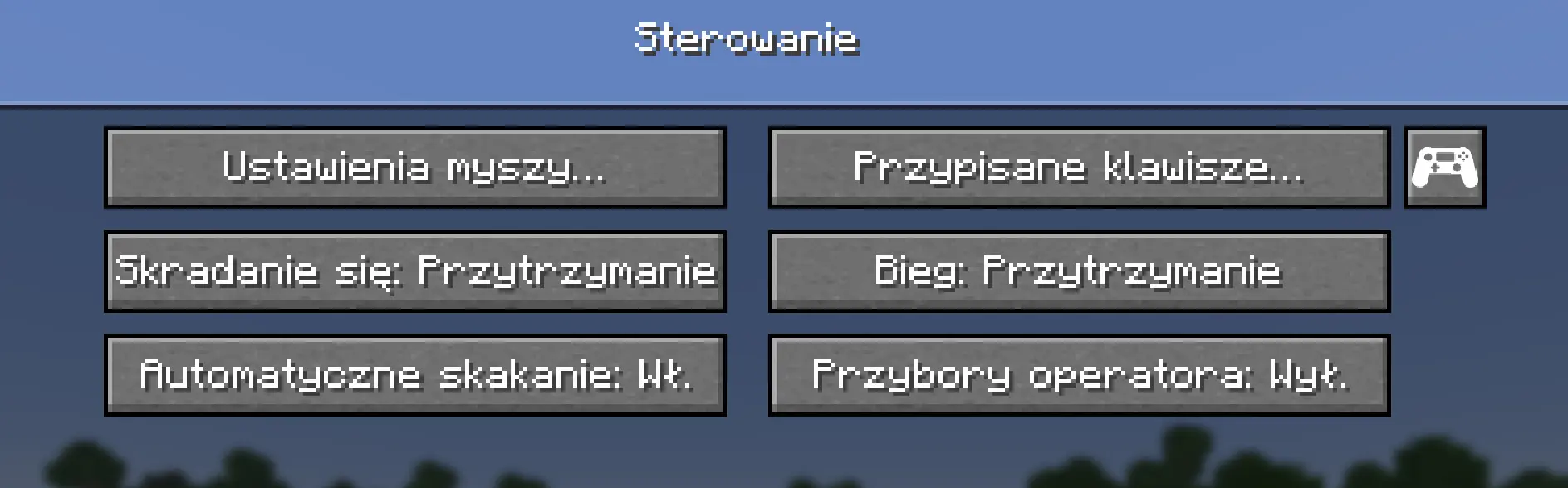
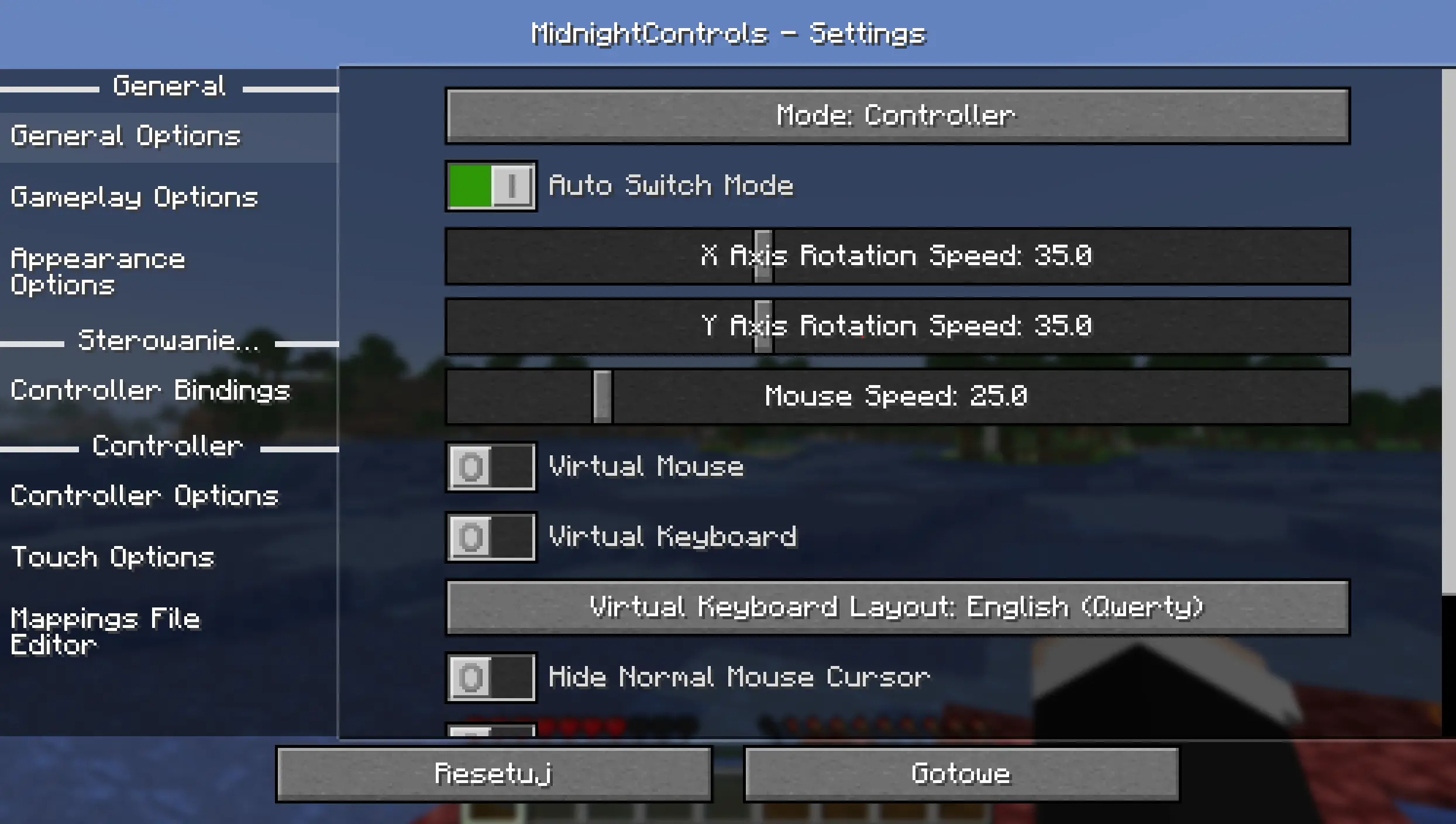
Options→Controlsmenu, you will see a new controller icon where you can customize the mod’s settings.
Settings & optimization (optional)
- Button Mapping: The mod automatically maps most actions, but you can manually rebind every button in the settings menu.
Common issues & fixes
- Controller not detected — Ensure your gamepad is properly connected to your computer and recognized by the operating system. Sometimes, restarting the game helps.
- Game crashes on startup — Verify that the versions of MidnightControls, Fabric API, and Fabric Loader are all compatible with each other and your Minecraft version.
- Conflicts with other mods — MidnightControls is compatible with most mods, but conflicts can rarely occur. Try disabling other mods one by one to identify the source of the problem.
Uninstall
- To uninstall the mod, simply remove the
midnightcontrols.jarandfabric-api.jarfiles from yourmodsfolder.

Downloads & Links
- Fabric API — Required by most mods
- Download MidnightControls (Modrinth) — Official site